Fair Lift LLC operates FairLift for ride-share and
food delivery. The screens below follow the rider and
driver apps in order: request, match, in progress, complete. Food
delivery uses the same request flow (pickup at a restaurant, drop-off
at the customer). The apps are not in public stores yet; these screens
use the apps’ labels, layout, and SMS wording.
A rider or food-delivery customer requests a trip, is matched with a driver, follows the trip, and pays when it is complete.
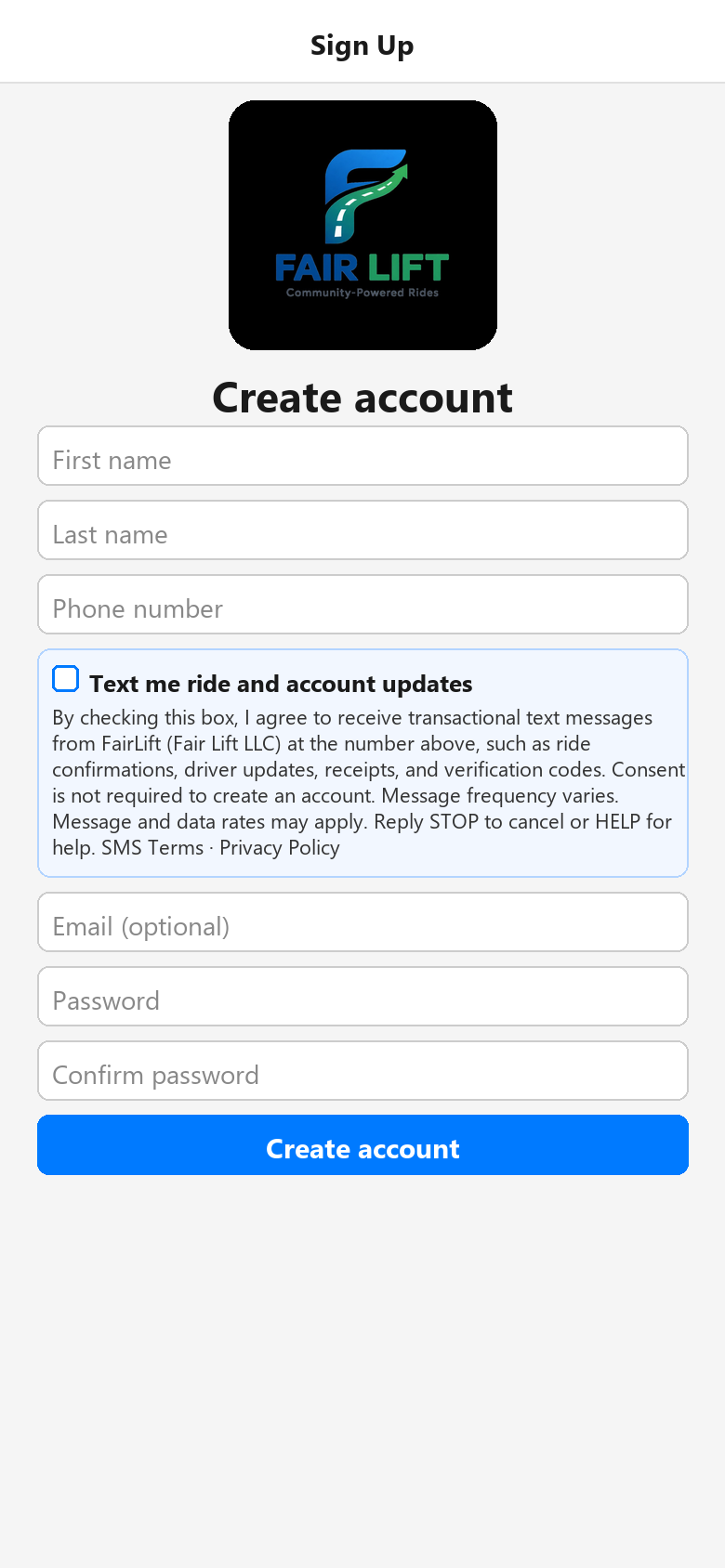
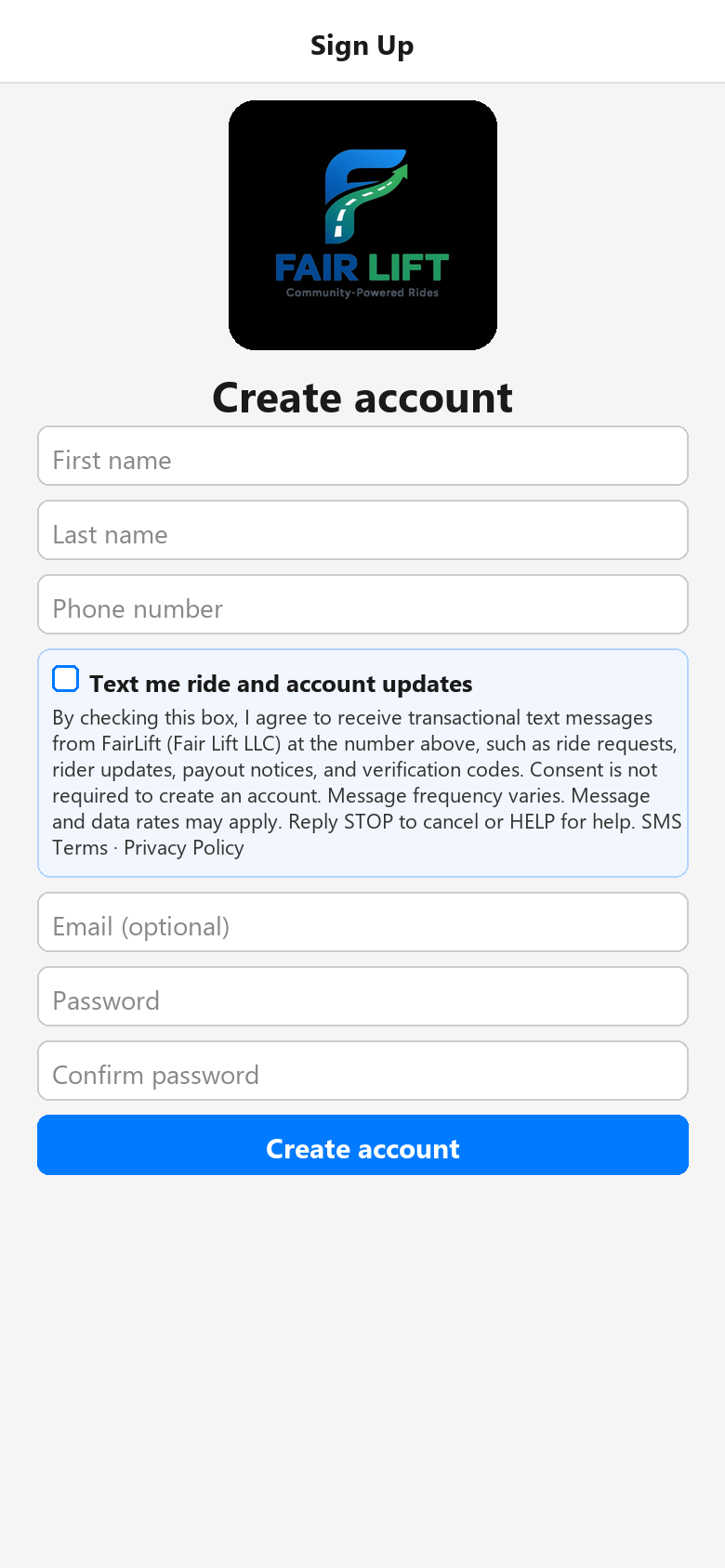
1 Opt in to texts
Create account with an unchecked SMS consent box. Consent is optional.
2 Request a ride
Find a ride: set pickup and destination, then show ride options.
3 Request food delivery
Same screen: pickup at a restaurant, drop-off at the customer address.
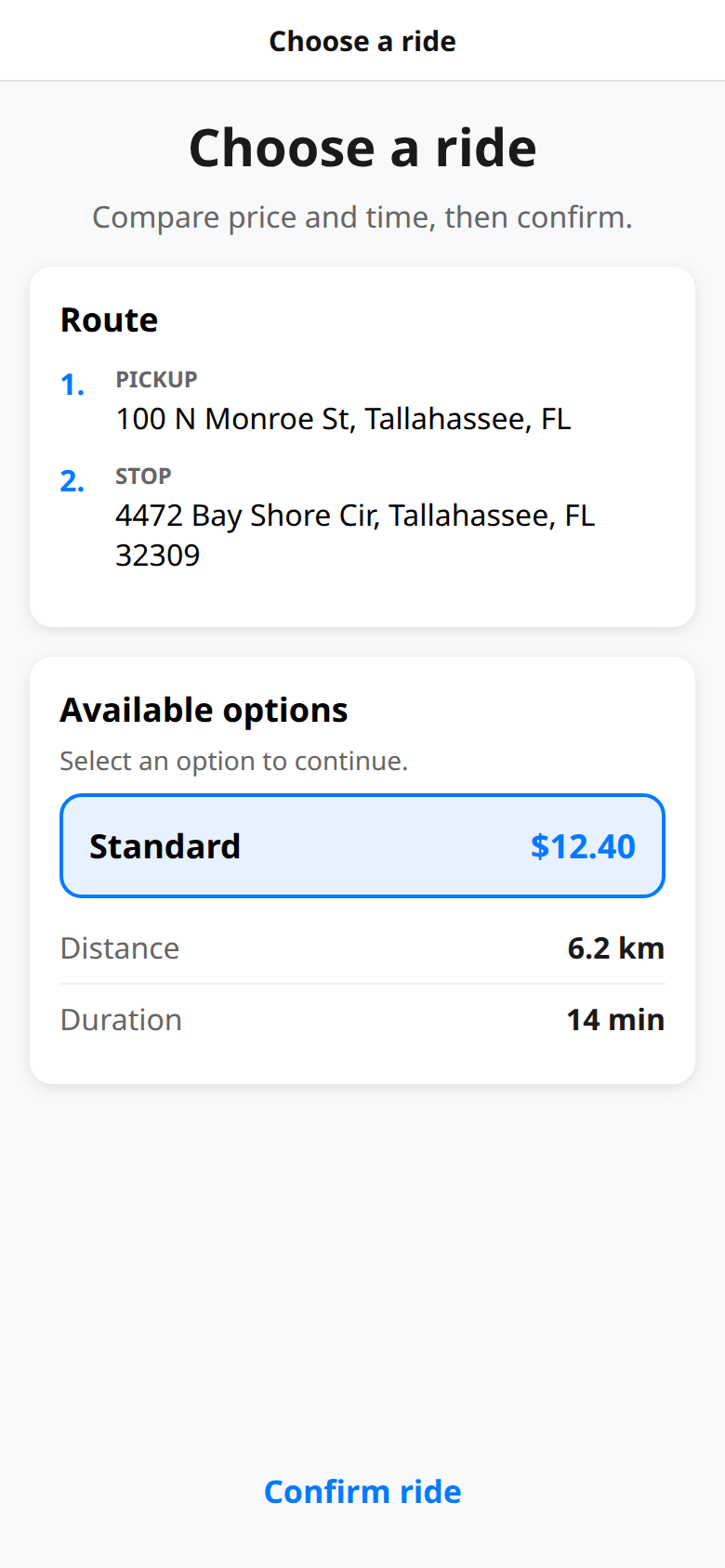
4 Choose an option
Compare price and time, then confirm the ride.
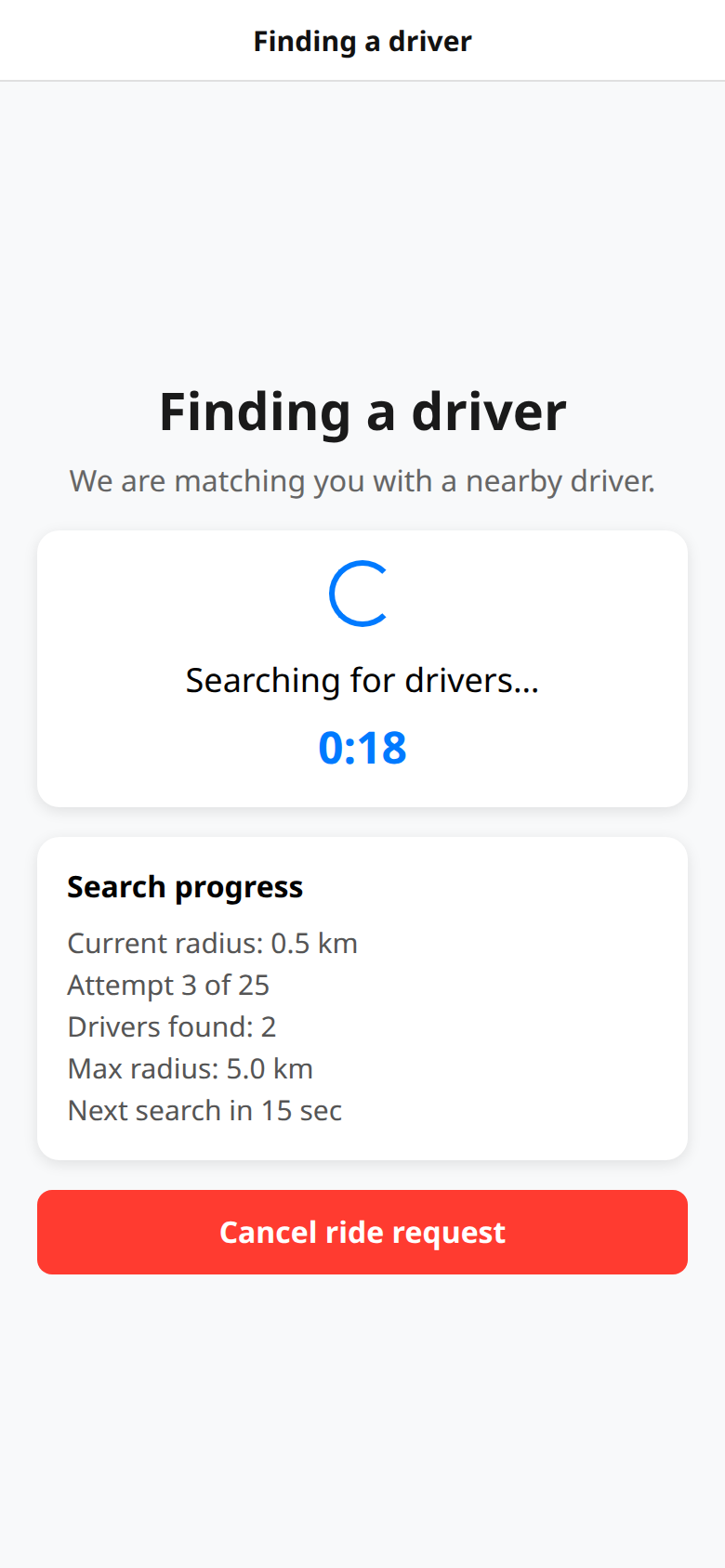
5 Matching
FairLift searches nearby drivers and can send the rider a confirmation text.
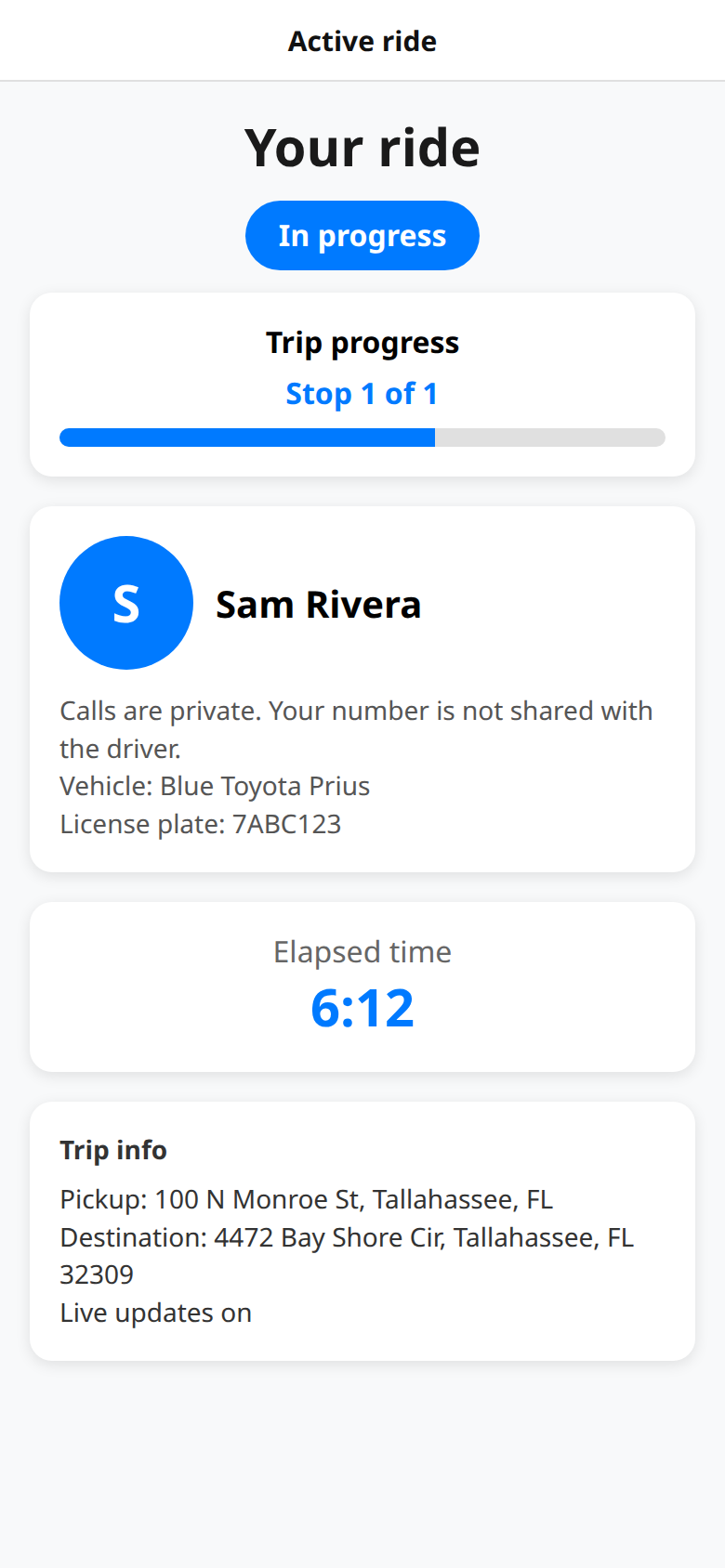
6 Trip in progress
Active ride: driver, vehicle, pickup, destination, and live status.
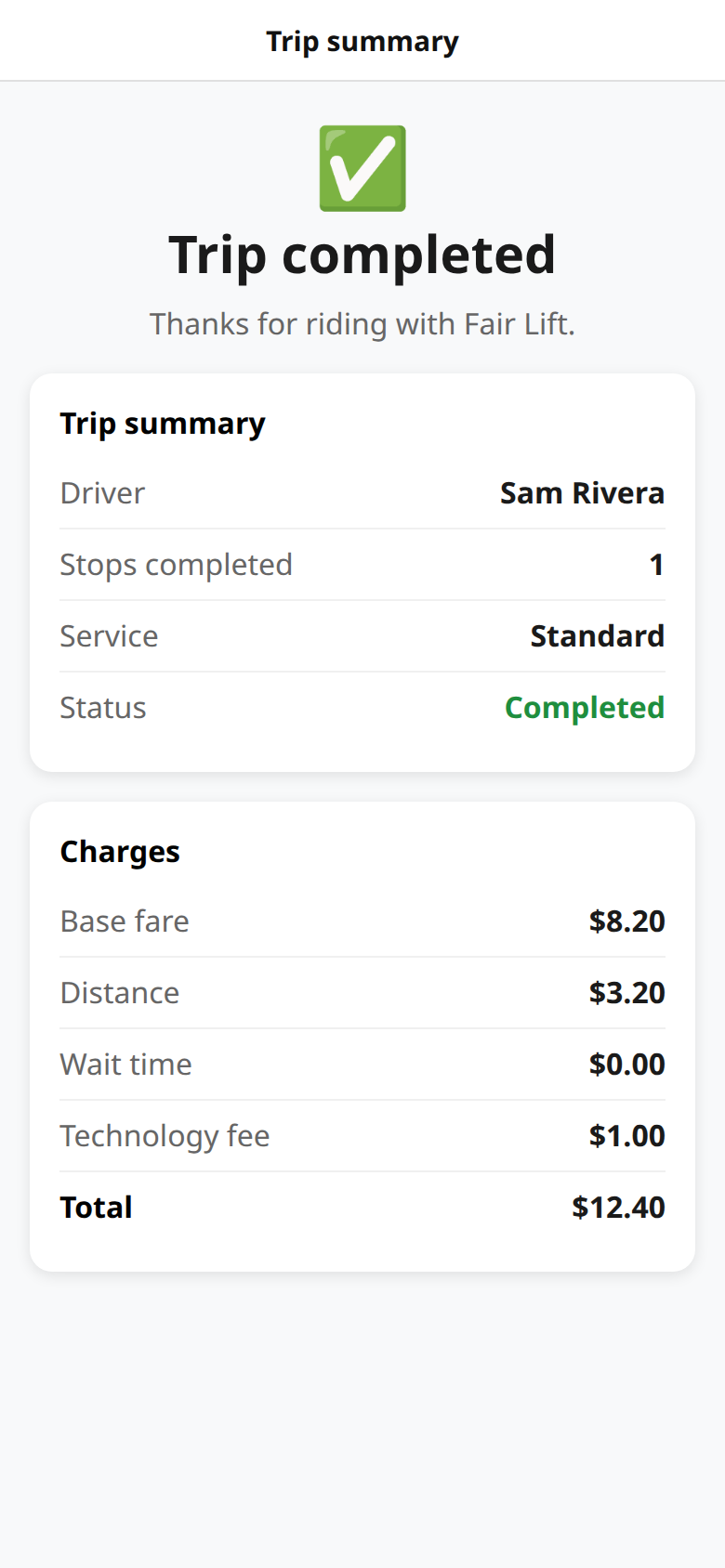
7 Trip complete
Receipt and charges. A completion text can go to the opted-in number.
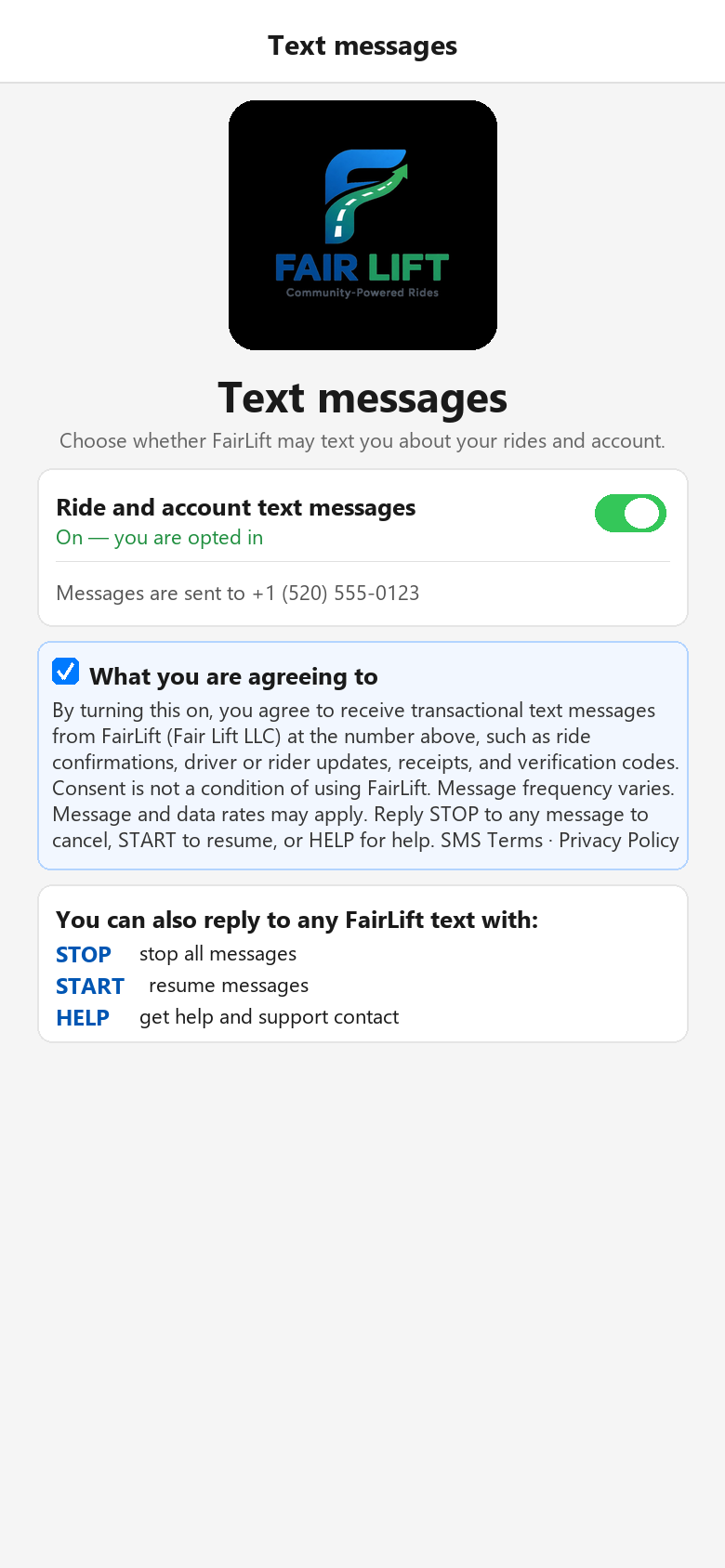
8 Text messages
In-app switch to opt in or out of transactional SMS at any time.
Driver app
A driver goes online, receives a ride or food-delivery request, accepts, picks up, and completes drop-off.
1 Opt in to texts
Create driver account with the same optional SMS consent.
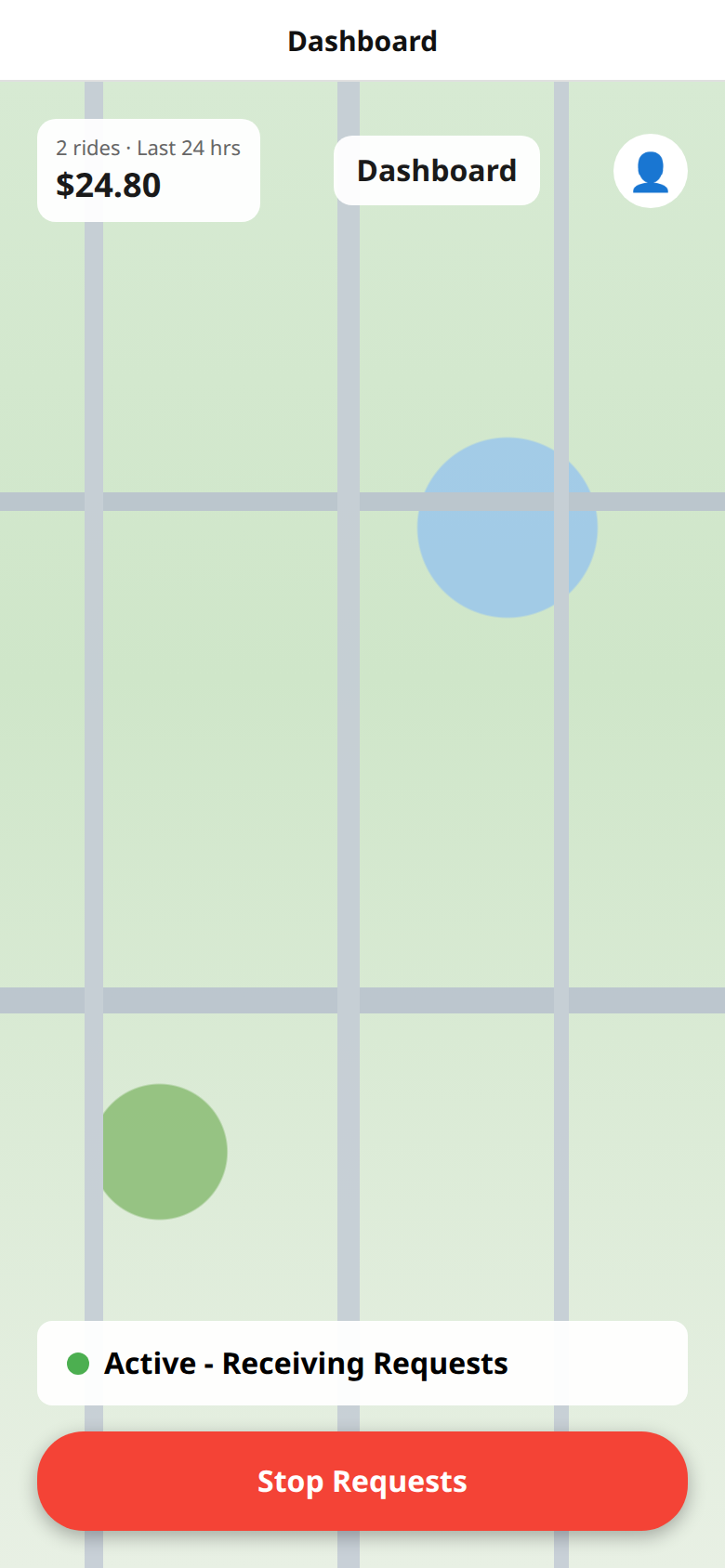
2 Go online
Dashboard: active and receiving requests.
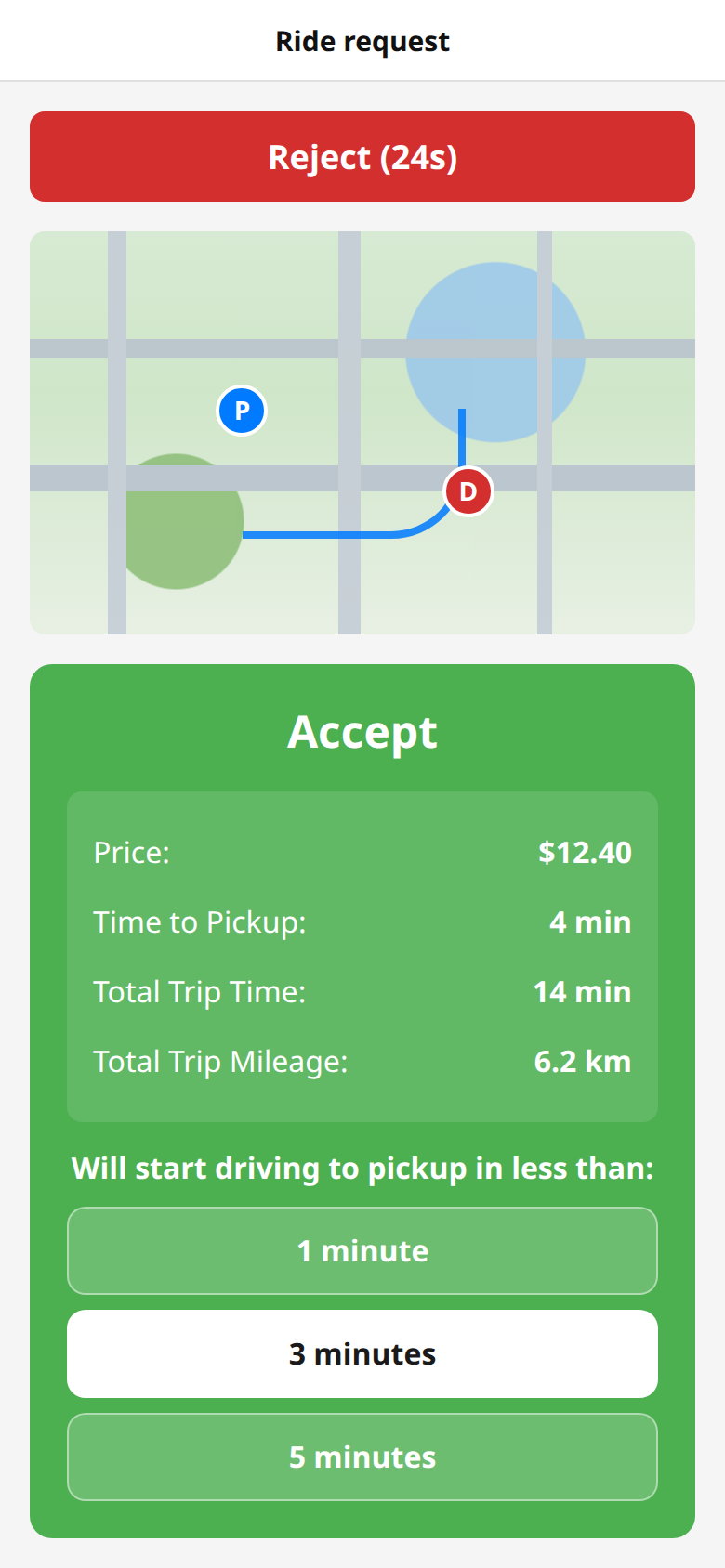
3 Receive a ride request
Offer with price, pickup time, and accept or reject. A text can alert the driver.
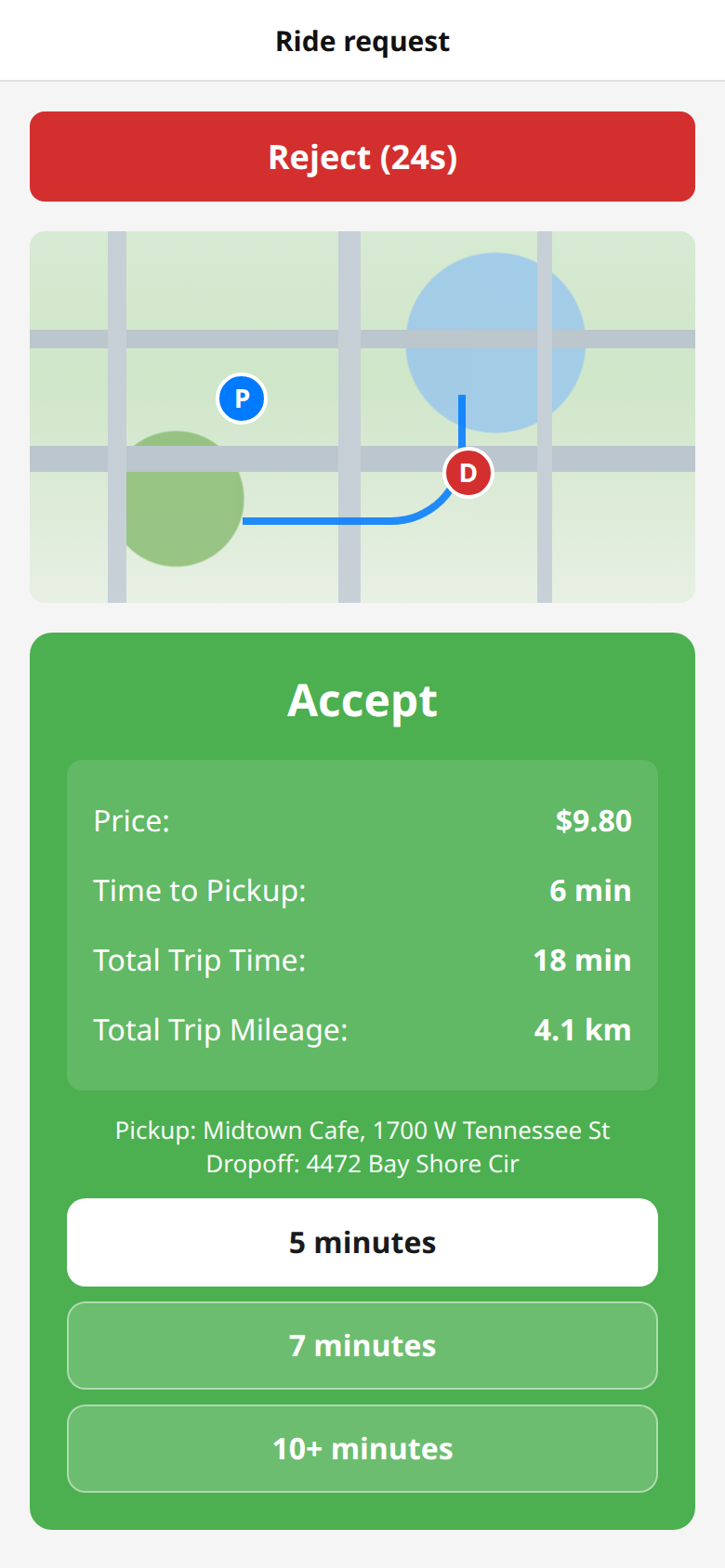
4 Receive a food-delivery request
Same offer screen for a restaurant pickup and customer drop-off.
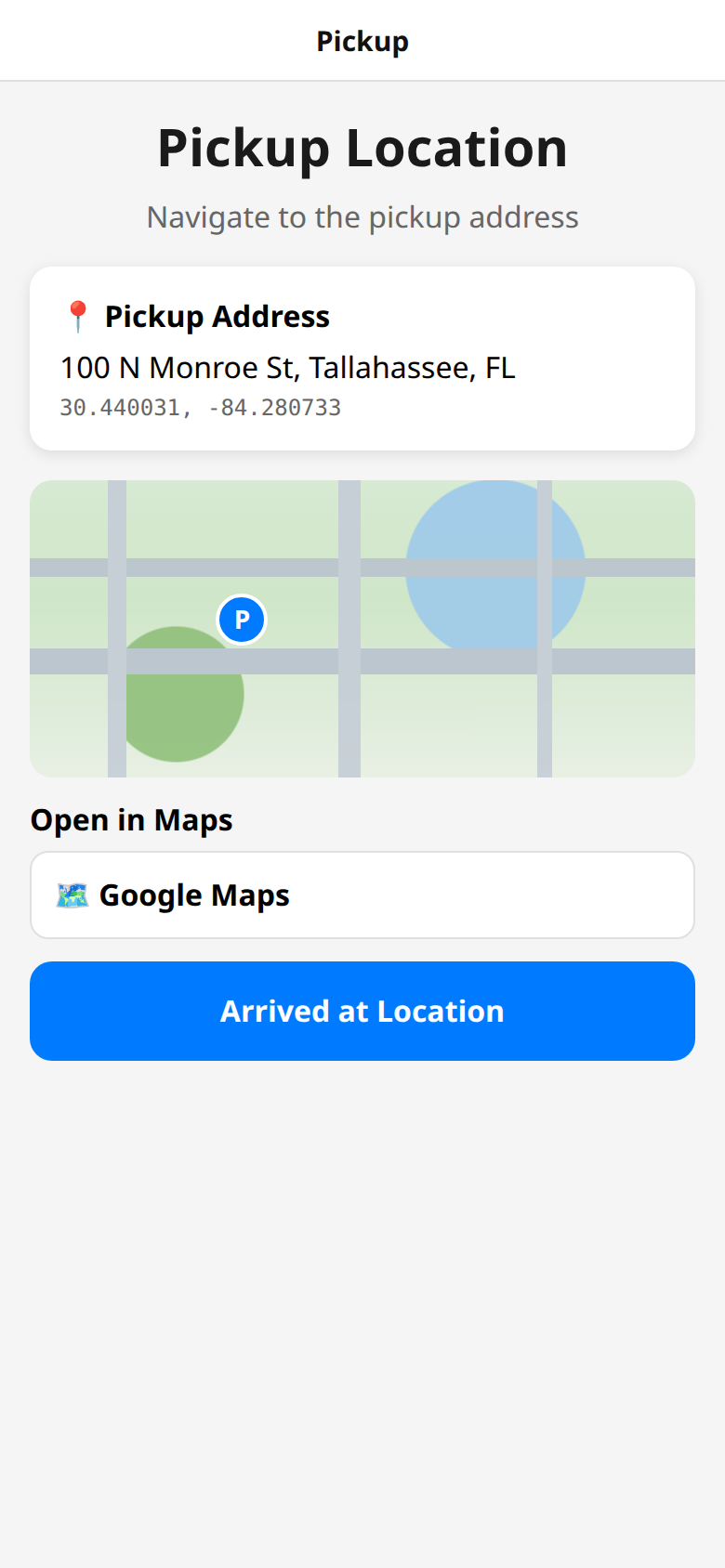
5 Pickup
Navigate to pickup and confirm arrival.
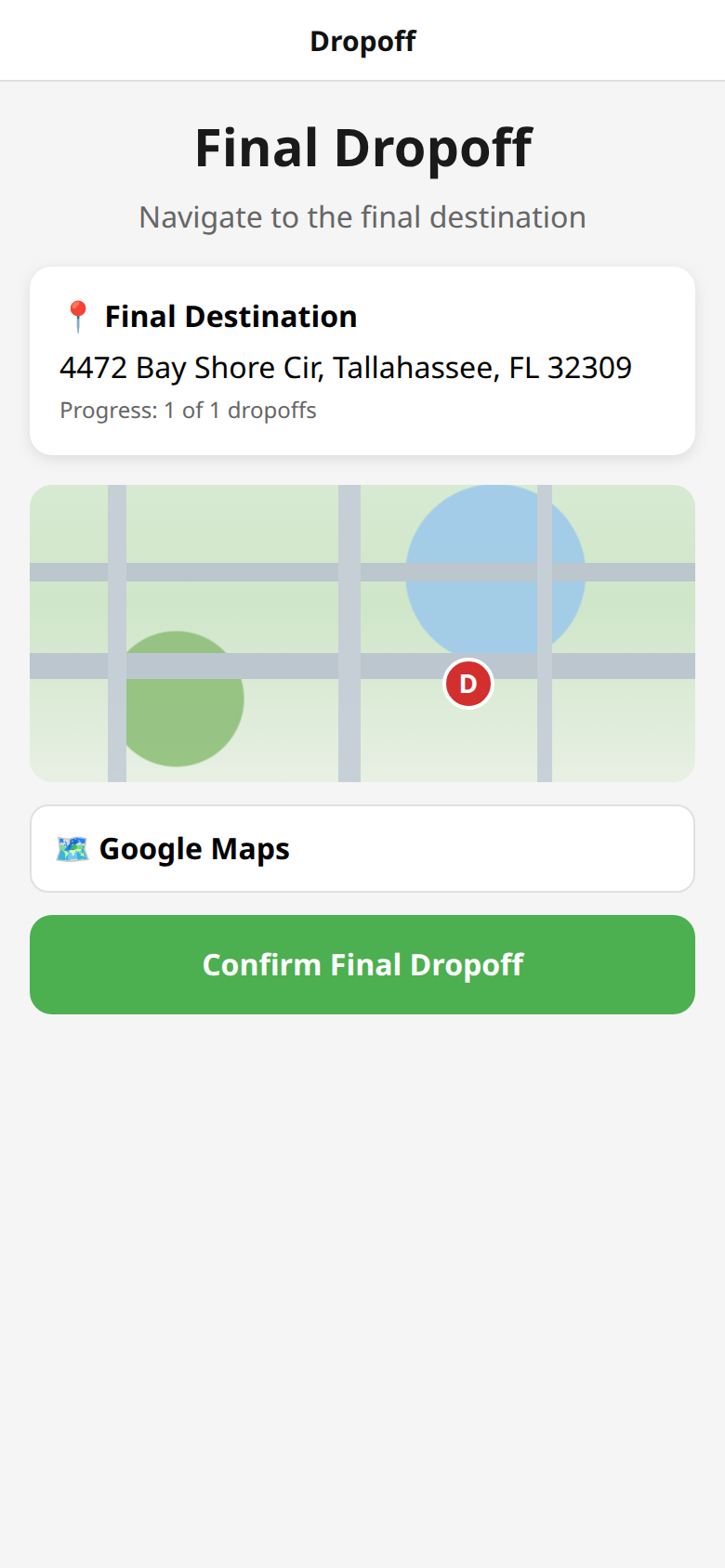
6 Complete drop-off
Navigate to the destination and confirm final drop-off.
How SMS fits the same flow
FairLift texts are transactional: ride and food-delivery confirmations,
arrival, receipts, driver offers, and verification codes. Message and
data rates may apply. Reply STOP to cancel or HELP for help.
Details: SMS Opt-In ·
SMS Terms ·
Privacy Policy.
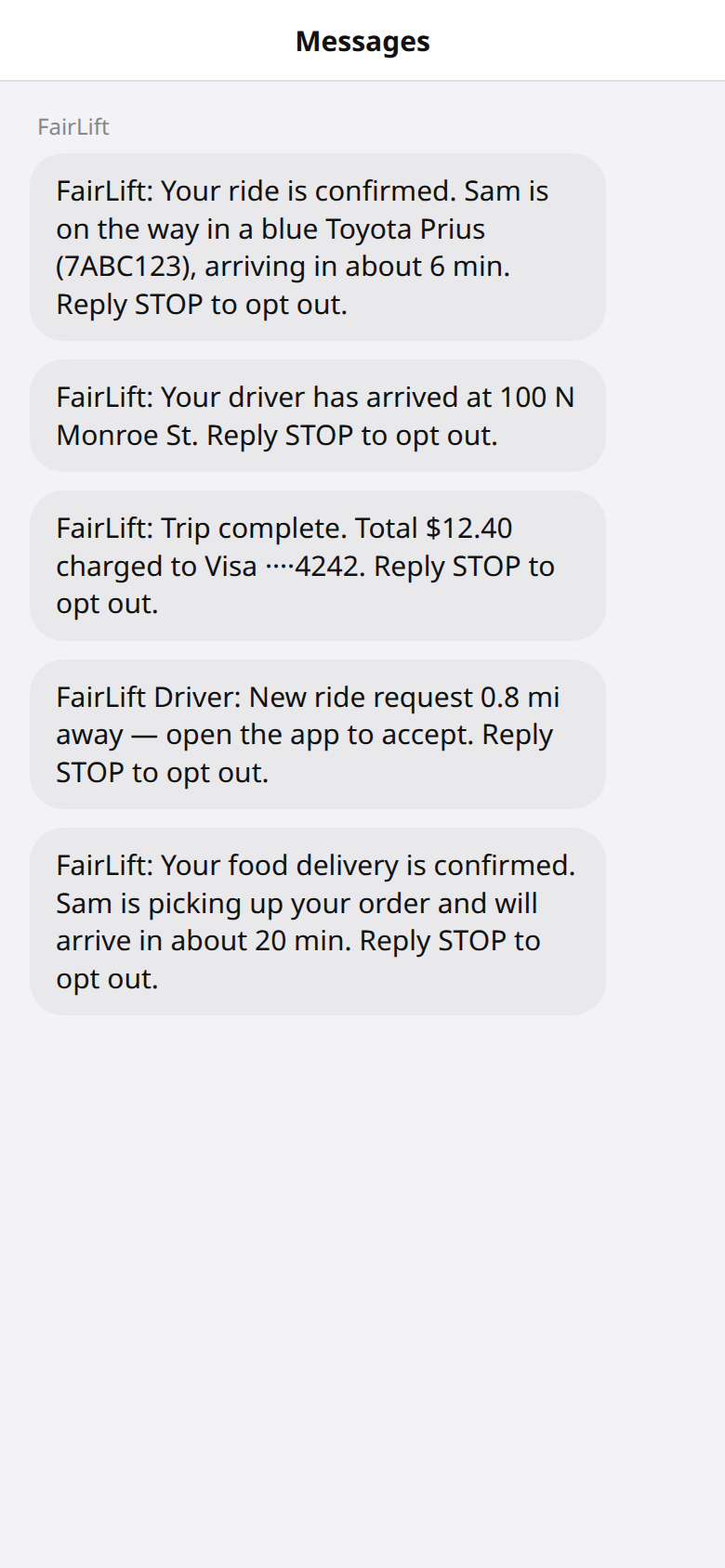
Sample trip texts
What an opted-in rider or driver can receive during a trip or delivery.
Launch status: the rider and driver apps are not listed in the Apple
App Store or Google Play. App-store submissions and required licenses
are still in progress.